---
title: Warm pools of user Machines
layout: docs
nav: guides
date: 2026-07-10
---
<figure>
<img src="/static/images/warm-pool-user-machines.webp" alt="Illustration of five smiling cube-shaped Machines relaxing together in a steaming hot tub" class="w-full max-w-lg mx-auto">
</figure>
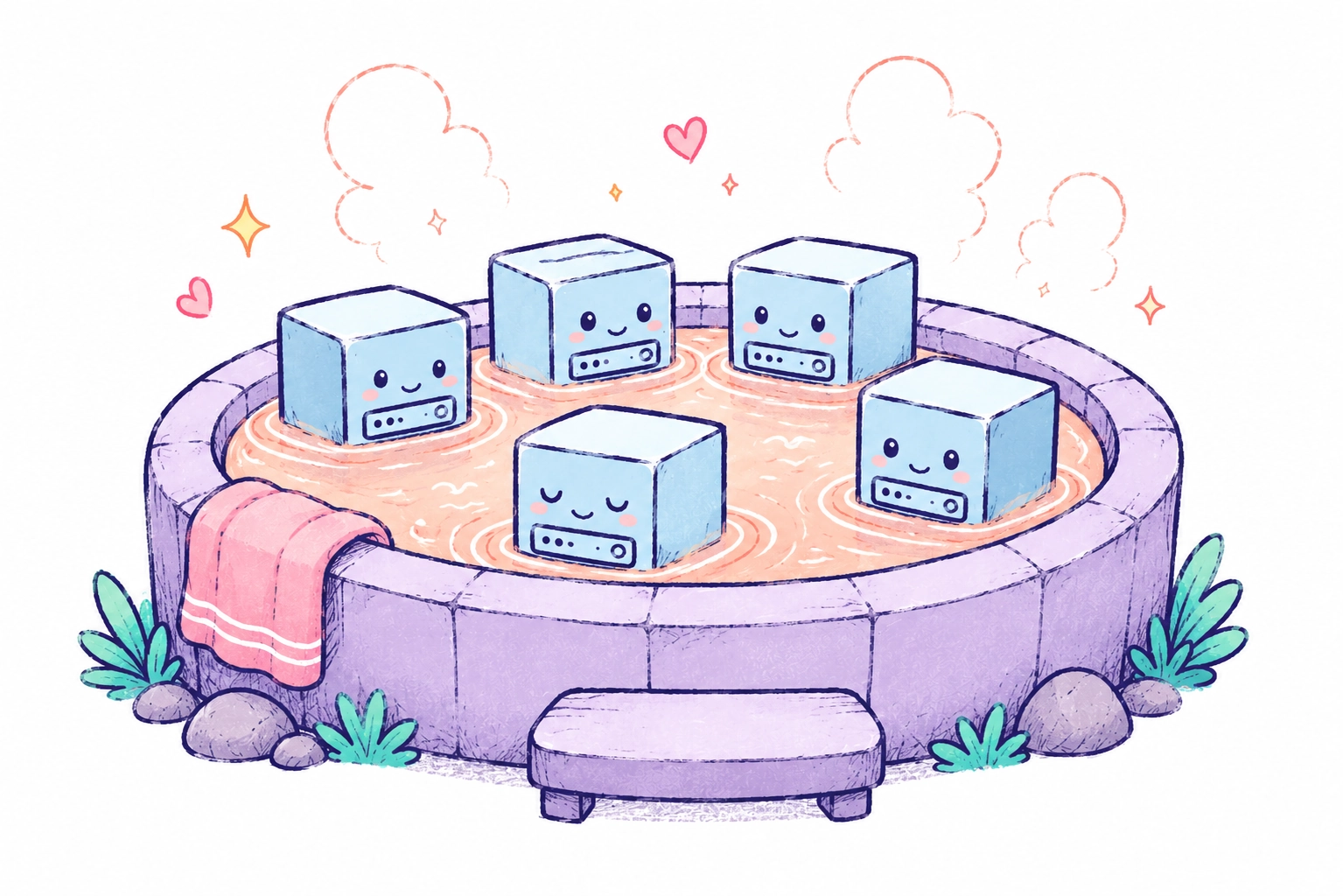
This page covers how to make per-user infrastructure feel instant: pre-provision a pool of generic Fly Machines in the background, then claim one and personalize it when a user shows up. It's the "pre-create a pool of these" advice from [Per-User Dev Environments](/docs/blueprints/per-user-dev-environments/), worked out in full: the database schema, the API calls, the claim query, and the maintenance loop.
## The problem
If you run per-user apps (dev environments, AI agents, code sandboxes), onboarding a user means creating a Fly app, a [volume](/docs/volumes/), and a Machine, then waiting for the software inside to boot. Each step is fast, but they add up: a minute or more before the user has something to talk to. Users expect seconds.
Most of that work is generic. The app, the volume, the Machine, the boot: none of it depends on who the user is. Only the last step, configuration, is user-specific. So do the generic work ahead of time. A background worker keeps N instances provisioned, booted, and health-checked. When a user signs up, you claim one from the pool, write their config into it, and hand it over. Allocation drops to about a second. If the pool is empty, you fall back to provisioning directly. That's slower, but nothing breaks.
## One app per pool entry
Each pool entry is a dedicated Fly app, not just a Machine in a shared app. [The app is your isolation boundary](/docs/machines/guides-examples/one-app-per-user-why): creating it with its own network name puts each entry on its own [private 6PN network](/docs/networking/private-networking/), so one user's Machine can never reach another's. A [Flycast address](/docs/networking/flycast/) gives your control plane private routing to the Machine without a public IP. And deleting the app cascades to its Machines and volumes, so teardown is a single API call, which matters more than it sounds, because crash-recovery cleanup uses the same call.
This control plane creates and destroys apps continuously, so it needs an org-scoped API token (`fly tokens create org`), not an app-scoped deploy token. Keep it server-side and never expose it to a user Machine.
```bash
# Create the app on its own private network
curl -X POST "https://api.machines.dev/v1/apps" \
  -H "Authorization: Bearer ${FLY_API_TOKEN}" \
  -H "Content-Type: application/json" \
  -d '{
    "app_name": "pool-x7f3k2",
    "org_slug": "my-org",
    "network": "pool-x7f3k2"
  }'

# Allocate a Flycast (private) address into the app's own network
curl -X POST "https://api.machines.dev/v1/apps/pool-x7f3k2/ip_assignments" \
  -H "Authorization: Bearer ${FLY_API_TOKEN}" \
  -H "Content-Type: application/json" \
  -d '{"type": "private_v6", "network": "pool-x7f3k2"}'
```
Pass the same `network` name you created the app with. The `network` field on the allocation targets which 6PN network the Flycast address routes within, and it does not default to the app's own network. Leave it empty and the address lands in your organization's default network, where it cannot reach a Machine that lives in the app's isolated per-app network.
App creation returns `422` if the name is taken. Your worker will retry after crashes, so treat that as idempotent: `GET /v1/apps/{name}` to confirm the app exists and reuse it. If it doesn't exist, the `422` was a real validation error, so rethrow it.
## Track pool state in a database
The Machines API is your source of truth for infrastructure. A small table is your source of truth for who owns what. One row per pool entry:
| column | purpose |
| ------------------- | --------------------------------------------------- |
| `id` | your identifier |
| `app_name` | the entry's dedicated Fly app |
| `machine_id` | written as soon as the Machine is created |
| `volume_id` | written as soon as the volume is created |
| `region` | the concrete region Fly actually placed it in |
| `status` | `provisioning` → `ready` → `failed` |
| `provisioned_at` | set when the entry becomes `ready` |
| `allocated_at` | `NULL` = available; set = claimed |
| `allocated_to` | the user or instance that claimed it |
| `provision_version` | bump to invalidate the pool when your image changes |
Two rules make this crash-safe. First, insert the row *before* touching the Machines API, so nothing exists on Fly.io that your database can't see. Second, write resource IDs back incrementally: the volume ID right after volume creation, the Machine ID right after Machine creation. If the worker dies mid-provision, a sweeper can find the half-finished row, delete the app (cascading whatever got created), and move on.
## Provision in the background
The sequence for each entry: create app → allocate Flycast IP → create volume → create Machine → wait for boot → health-check → mark `ready`.
```bash
# Create the volume first; Fly resolves the region
curl -X POST "https://api.machines.dev/v1/apps/pool-x7f3k2/volumes" \
  -H "Authorization: Bearer ${FLY_API_TOKEN}" \
  -H "Content-Type: application/json" \
  -d '{"name": "user_data", "region": "iad", "size_gb": 1}'

# Create the Machine in the *volume's* region
curl -X POST "https://api.machines.dev/v1/apps/pool-x7f3k2/machines" \
  -H "Authorization: Bearer ${FLY_API_TOKEN}" \
  -H "Content-Type: application/json" \
  -d '{
    "name": "pool",
    "region": "iad",
    "config": {
      "image": "registry.fly.io/my-user-app@sha256:...",
      "guest": {"cpu_kind": "shared", "cpus": 1, "memory_mb": 2048},
      "init": {"swap_size_mb": 2048},
      "mounts": [{"volume": "vol_abc123", "path": "/data"}],
      "services": [{
        "internal_port": 8080,
        "ports": [{"port": 80, "handlers": ["http"]}],
        "autostart": true,
        "autostop": "off"
      }],
      "checks": {
        "health": {"type": "tcp", "port": 8080, "interval": "15s",
                   "timeout": "5s", "grace_period": "120s"}
      },
      "restart": {"policy": "on-failure", "max_retries": 3},
      "metadata": {"pool_entry": "fp_abc123"}
    }
  }'

# Wait for the VM to boot (timeout defaults to 60s, which is also the max)
curl "https://api.machines.dev/v1/apps/pool-x7f3k2/machines/${MACHINE_ID}/wait?state=started&timeout=60" \
  -H "Authorization: Bearer ${FLY_API_TOKEN}"
```
A few settings in that config matter more than they look.
**Volume and Machine must co-locate.** A volume is pinned to one physical host, and the Machine that mounts it has to land on that same host. Create the volume first, then create the Machine with that volume ID in `config.mounts` and use the volume's returned region. The mount is what places the Machine on the volume's host; matching the region alone isn't enough, and creating the Machine first can fail to attach even in the right region. Store the Machine's returned region in your database too, since that's where it actually landed.
**Pin the image by digest, not a tag.** `provision_version` is meant to mark a uniform pool generation. If you build on a moving tag like `:latest`, two entries with the same version can end up running different images. Reference an immutable digest (`@sha256:...`) and bump `provision_version` whenever it changes.
**`autostop: "off"` is the point.** Pool Machines are idle by design. [Autostop](/docs/launch/autostop-autostart/) would helpfully shut them down, and a stopped pool Machine is a cold start with extra steps.
**`started` doesn't mean ready.** The `wait` endpoint tells you the VM booted, not that your app inside is serving. Poll your app's health endpoint through the [exec endpoint](https://docs.machines.dev/machines/Machines_exec+external) before marking the entry `ready`:
```bash
curl -X POST "https://api.machines.dev/v1/apps/pool-x7f3k2/machines/${MACHINE_ID}/exec" \
  -H "Authorization: Bearer ${FLY_API_TOKEN}" \
  -H "Content-Type: application/json" \
  -d '{"command": ["curl", "--fail", "--silent", "--max-time", "5", "http://localhost:8080/healthz"]}'
```
The exec call returns HTTP 200 even when the command inside failed, so check the response body's `exit_code`, not the API status. `--fail` makes the inner `curl` return non-zero on a 5xx, so a wedged app reads as unhealthy instead of ready. (Whatever probe you use has to exist in the image.)
This is what makes claiming instant later. A `ready` entry is one whose app is already serving, so the only work left at claim time is configuration. Skip this and your "instant" claims hand users a Machine that's still booting.
Pool Machines don't know their user yet, so boot them with a minimal placeholder config (and dummy values for any env vars your entrypoint insists on). The real config arrives at claim time. If any provisioning step fails, delete the app (it cascades) and mark the row `failed` for the sweeper.
## Claim atomically with SKIP LOCKED
When a user signs up, claim an entry with one atomic statement:
```sql
UPDATE pool SET allocated_at = NOW(), allocated_to = $user_id
WHERE id = (
  SELECT id FROM pool
  WHERE status = 'ready' AND allocated_at IS NULL
  ORDER BY provisioned_at ASC   -- oldest first
  FOR UPDATE SKIP LOCKED
  LIMIT 1
)
RETURNING *
```
`FOR UPDATE SKIP LOCKED` is doing the heavy lifting: concurrent signups never grab the same entry and never wait on each other's locks. No advisory locks, no queue, no coordinator.
Prefer the user's [region](/docs/reference/regions/), but don't insist on it. Run the query filtered to nearby regions first, then unfiltered. A warm Machine in the wrong region beats a cold start in the right one. If the query returns zero rows, provision directly using the same sequence as the background worker; the pool is an optimization, never a dependency.
Be careful how you unwind a failed claim. If the claim fails *before* you write anything user-specific, clearing `allocated_at` safely returns the entry to the pool. Once you've written the user's config or secrets to the volume, that entry is contaminated: returning it to the pool can hand the next user the previous one's data. After any user-specific write, mark the entry `failed` and let the maintenance loop destroy it. Don't recycle it.
## Personalize with exec, not a Machine update
There are two ways to turn a generic pool Machine into *this user's* Machine, and the difference between them is most of the payoff:
| approach | mechanism | latency |
| --- | --- | --- |
| exec write | write the user's config to the volume via exec; the app hot-reloads it | ~1-2s |
| Machine update | `POST /machines/{id}` with new config, full Machine restart | ~20s |
If your app can watch a config file and reload it, write the file and you're done. Base64-encode the user's config, drop it in where the exec command decodes it, and write to a temp file before renaming so a reader never sees a half-written config:
```bash
# CONFIG_B64 = base64 of the user's config; splice it into the command below
curl -X POST "https://api.machines.dev/v1/apps/pool-x7f3k2/machines/${MACHINE_ID}/exec" \
  -H "Authorization: Bearer ${FLY_API_TOKEN}" \
  -H "Content-Type: application/json" \
  -d '{"command": ["sh", "-c", "umask 077; echo CONFIG_B64 | base64 -d > /data/config.json.tmp && mv /data/config.json.tmp /data/config.json"]}'
```
This also decides where per-user secrets should live: in the config file on the volume, not in Machine env vars. Env changes require a Machine update and a restart. A file write doesn't.
When you do need a real Machine update (rename, metadata, env vars), use the [lease flow](/docs/machines/api/machines-resource/#create-a-machine-lease) so concurrent updaters can't clobber each other: acquire a lease, send the update with the `fly-machine-lease-nonce` header, release the lease in a `finally`. And know that Machine updates replace the entire config; they don't merge. `GET` the current Machine first and send back its full config with only your fields changed, or you'll silently wipe mounts, services, checks, and env.
## Maintain the pool
A small worker, ideally its own [process group](/docs/launch/processes/), loops on an interval. Each tick does four things, in order:
1. **Cycle.** Delete unallocated entries whose `provision_version` doesn't match the current one. Bump the version whenever your image or Machine config changes, and the pool replaces itself over the next few ticks.
2. **Clean.** For `failed` entries, delete the app and the row.
3. **Validate.** `GET /machines/{id}` for each `ready` entry; discard anything whose `state` isn't `started`. Also discard rows stuck in `provisioning` for more than ~10 minutes. That's a crashed provisioner, and the incrementally-written IDs let you clean up whatever it left behind.
4. **Replenish.** Count available entries (`status = 'ready' AND allocated_at IS NULL`) plus in-flight `provisioning` entries against your target, and create the shortfall. Counting claimed-but-still-`ready` rows here is the classic bug: the pool looks full and quietly stops refilling as users claim entries. Spread the new entries across regions by weight (say, 3 in `us`, 1 in `eu`, 1 in `apac`, where those are your own buckets of concrete Fly regions like `iad`, `ams`, and `sin`). Counting in-flight `provisioning` entries stops you from over-provisioning during a burst of claims. Guard against overlapping runs.
## Pointers and footguns
- **Warm Machines cost money.** Pool size is a bet on your peak claim rate versus your tolerance for cold-start fallbacks. Start small (2-5), log ready/provisioning counts every tick, and grow only when you see fallbacks under real traffic. If your app boots fast, a pool of *stopped* Machines that you `start` on claim may be the better trade, since stopped Machines cost much less than running ones.
- **Mint unique secrets per entry** (auth tokens, gateway passwords) at provision time and store them encrypted in your database. A claimed Machine should never be reachable with another entry's credentials.
- **Record what the API returned, not what you asked for.** Region inputs resolve at creation time; the Machine's actual region is what your claim query needs to match against.
- **Machines are tied to physical hardware.** A host failure destroys the Machine and its volume. For pool entries that's fine, since the maintenance loop replaces them, but anything durable a user creates after claiming should also be backed up off-Machine, to somewhere like [Tigris](/docs/tigris/) or S3.
- **TCP checks beat HTTP checks for pooled apps.** Your app's HTTP endpoints may require auth or per-user config that doesn't exist pre-claim. A TCP check on the listening port with a generous `grace_period` is the reliable signal.
## Related reading
- [Per-User Dev Environments with Fly Machines](/docs/blueprints/per-user-dev-environments/): The architecture this pattern plugs into, including routing with `fly-replay`.
- [Connecting to User Machines](/docs/blueprints/connecting-to-user-machines/): How to get traffic to a fleet of per-user Machines once you've assigned them.
- [Why one app per user?](/docs/machines/guides-examples/one-app-per-user-why): The isolation reasoning behind app-per-entry.
- [Machines API reference](/docs/machines/api/): Apps, Machines, volumes, leases, and exec.
Warm pools of user Machines
This page covers how to make per-user infrastructure feel instant: pre-provision a pool of generic Fly Machines in the background, then claim one and personalize it when a user shows up. It’s the “pre-create a pool of these” advice from Per-User Dev Environments, worked out in full: the database schema, the API calls, the claim query, and the maintenance loop.
The problem
If you run per-user apps (dev environments, AI agents, code sandboxes), onboarding a user means creating a Fly app, a volume, and a Machine, then waiting for the software inside to boot. Each step is fast, but they add up: a minute or more before the user has something to talk to. Users expect seconds.
Most of that work is generic. The app, the volume, the Machine, the boot: none of it depends on who the user is. Only the last step, configuration, is user-specific. So do the generic work ahead of time. A background worker keeps N instances provisioned, booted, and health-checked. When a user signs up, you claim one from the pool, write their config into it, and hand it over. Allocation drops to about a second. If the pool is empty, you fall back to provisioning directly. That’s slower, but nothing breaks.
One app per pool entry
Each pool entry is a dedicated Fly app, not just a Machine in a shared app. The app is your isolation boundary: creating it with its own network name puts each entry on its own private 6PN network, so one user’s Machine can never reach another’s. A Flycast address gives your control plane private routing to the Machine without a public IP. And deleting the app cascades to its Machines and volumes, so teardown is a single API call, which matters more than it sounds, because crash-recovery cleanup uses the same call.
This control plane creates and destroys apps continuously, so it needs an org-scoped API token (fly tokens create org), not an app-scoped deploy token. Keep it server-side and never expose it to a user Machine.
# Create the app on its own private network
curl -X POST "https://api.machines.dev/v1/apps"\-H"Authorization: Bearer ${FLY_API_TOKEN}"\-H"Content-Type: application/json"\-d'{
"app_name": "pool-x7f3k2",
"org_slug": "my-org",
"network": "pool-x7f3k2"
}'# Allocate a Flycast (private) address into the app's own network
curl -X POST "https://api.machines.dev/v1/apps/pool-x7f3k2/ip_assignments"\-H"Authorization: Bearer ${FLY_API_TOKEN}"\-H"Content-Type: application/json"\-d'{"type": "private_v6", "network": "pool-x7f3k2"}'
Pass the same network name you created the app with. The network field on the allocation targets which 6PN network the Flycast address routes within, and it does not default to the app’s own network. Leave it empty and the address lands in your organization’s default network, where it cannot reach a Machine that lives in the app’s isolated per-app network.
App creation returns 422 if the name is taken. Your worker will retry after crashes, so treat that as idempotent: GET /v1/apps/{name} to confirm the app exists and reuse it. If it doesn’t exist, the 422 was a real validation error, so rethrow it.
Track pool state in a database
The Machines API is your source of truth for infrastructure. A small table is your source of truth for who owns what. One row per pool entry:
column
purpose
id
your identifier
app_name
the entry’s dedicated Fly app
machine_id
written as soon as the Machine is created
volume_id
written as soon as the volume is created
region
the concrete region Fly actually placed it in
status
provisioning → ready → failed
provisioned_at
set when the entry becomes ready
allocated_at
NULL = available; set = claimed
allocated_to
the user or instance that claimed it
provision_version
bump to invalidate the pool when your image changes
Two rules make this crash-safe. First, insert the row before touching the Machines API, so nothing exists on Fly.io that your database can’t see. Second, write resource IDs back incrementally: the volume ID right after volume creation, the Machine ID right after Machine creation. If the worker dies mid-provision, a sweeper can find the half-finished row, delete the app (cascading whatever got created), and move on.
Provision in the background
The sequence for each entry: create app → allocate Flycast IP → create volume → create Machine → wait for boot → health-check → mark ready.
# Create the volume first; Fly resolves the region
curl -X POST "https://api.machines.dev/v1/apps/pool-x7f3k2/volumes"\-H"Authorization: Bearer ${FLY_API_TOKEN}"\-H"Content-Type: application/json"\-d'{"name": "user_data", "region": "iad", "size_gb": 1}'# Create the Machine in the *volume's* region
curl -X POST "https://api.machines.dev/v1/apps/pool-x7f3k2/machines"\-H"Authorization: Bearer ${FLY_API_TOKEN}"\-H"Content-Type: application/json"\-d'{
"name": "pool",
"region": "iad",
"config": {
"image": "registry.fly.io/my-user-app@sha256:...",
"guest": {"cpu_kind": "shared", "cpus": 1, "memory_mb": 2048},
"init": {"swap_size_mb": 2048},
"mounts": [{"volume": "vol_abc123", "path": "/data"}],
"services": [{
"internal_port": 8080,
"ports": [{"port": 80, "handlers": ["http"]}],
"autostart": true,
"autostop": "off"
}],
"checks": {
"health": {"type": "tcp", "port": 8080, "interval": "15s",
"timeout": "5s", "grace_period": "120s"}
},
"restart": {"policy": "on-failure", "max_retries": 3},
"metadata": {"pool_entry": "fp_abc123"}
}
}'# Wait for the VM to boot (timeout defaults to 60s, which is also the max)
curl "https://api.machines.dev/v1/apps/pool-x7f3k2/machines/${MACHINE_ID}/wait?state=started&timeout=60"\-H"Authorization: Bearer ${FLY_API_TOKEN}"
A few settings in that config matter more than they look.
Volume and Machine must co-locate. A volume is pinned to one physical host, and the Machine that mounts it has to land on that same host. Create the volume first, then create the Machine with that volume ID in config.mounts and use the volume’s returned region. The mount is what places the Machine on the volume’s host; matching the region alone isn’t enough, and creating the Machine first can fail to attach even in the right region. Store the Machine’s returned region in your database too, since that’s where it actually landed.
Pin the image by digest, not a tag.provision_version is meant to mark a uniform pool generation. If you build on a moving tag like :latest, two entries with the same version can end up running different images. Reference an immutable digest (@sha256:...) and bump provision_version whenever it changes.
autostop: "off" is the point. Pool Machines are idle by design. Autostop would helpfully shut them down, and a stopped pool Machine is a cold start with extra steps.
started doesn’t mean ready. The wait endpoint tells you the VM booted, not that your app inside is serving. Poll your app’s health endpoint through the exec endpoint before marking the entry ready:
The exec call returns HTTP 200 even when the command inside failed, so check the response body’s exit_code, not the API status. --fail makes the inner curl return non-zero on a 5xx, so a wedged app reads as unhealthy instead of ready. (Whatever probe you use has to exist in the image.)
This is what makes claiming instant later. A ready entry is one whose app is already serving, so the only work left at claim time is configuration. Skip this and your “instant” claims hand users a Machine that’s still booting.
Pool Machines don’t know their user yet, so boot them with a minimal placeholder config (and dummy values for any env vars your entrypoint insists on). The real config arrives at claim time. If any provisioning step fails, delete the app (it cascades) and mark the row failed for the sweeper.
Claim atomically with SKIP LOCKED
When a user signs up, claim an entry with one atomic statement:
FOR UPDATE SKIP LOCKED is doing the heavy lifting: concurrent signups never grab the same entry and never wait on each other’s locks. No advisory locks, no queue, no coordinator.
Prefer the user’s region, but don’t insist on it. Run the query filtered to nearby regions first, then unfiltered. A warm Machine in the wrong region beats a cold start in the right one. If the query returns zero rows, provision directly using the same sequence as the background worker; the pool is an optimization, never a dependency.
Be careful how you unwind a failed claim. If the claim fails before you write anything user-specific, clearing allocated_at safely returns the entry to the pool. Once you’ve written the user’s config or secrets to the volume, that entry is contaminated: returning it to the pool can hand the next user the previous one’s data. After any user-specific write, mark the entry failed and let the maintenance loop destroy it. Don’t recycle it.
Personalize with exec, not a Machine update
There are two ways to turn a generic pool Machine into this user’s Machine, and the difference between them is most of the payoff:
approach
mechanism
latency
exec write
write the user’s config to the volume via exec; the app hot-reloads it
~1-2s
Machine update
POST /machines/{id} with new config, full Machine restart
~20s
If your app can watch a config file and reload it, write the file and you’re done. Base64-encode the user’s config, drop it in where the exec command decodes it, and write to a temp file before renaming so a reader never sees a half-written config:
# CONFIG_B64 = base64 of the user's config; splice it into the command below
curl -X POST "https://api.machines.dev/v1/apps/pool-x7f3k2/machines/${MACHINE_ID}/exec"\-H"Authorization: Bearer ${FLY_API_TOKEN}"\-H"Content-Type: application/json"\-d'{"command": ["sh", "-c", "umask 077; echo CONFIG_B64 | base64 -d > /data/config.json.tmp && mv /data/config.json.tmp /data/config.json"]}'
This also decides where per-user secrets should live: in the config file on the volume, not in Machine env vars. Env changes require a Machine update and a restart. A file write doesn’t.
When you do need a real Machine update (rename, metadata, env vars), use the lease flow so concurrent updaters can’t clobber each other: acquire a lease, send the update with the fly-machine-lease-nonce header, release the lease in a finally. And know that Machine updates replace the entire config; they don’t merge. GET the current Machine first and send back its full config with only your fields changed, or you’ll silently wipe mounts, services, checks, and env.
Maintain the pool
A small worker, ideally its own process group, loops on an interval. Each tick does four things, in order:
Cycle. Delete unallocated entries whose provision_version doesn’t match the current one. Bump the version whenever your image or Machine config changes, and the pool replaces itself over the next few ticks.
Clean. For failed entries, delete the app and the row.
Validate.GET /machines/{id} for each ready entry; discard anything whose state isn’t started. Also discard rows stuck in provisioning for more than ~10 minutes. That’s a crashed provisioner, and the incrementally-written IDs let you clean up whatever it left behind.
Replenish. Count available entries (status = 'ready' AND allocated_at IS NULL) plus in-flight provisioning entries against your target, and create the shortfall. Counting claimed-but-still-ready rows here is the classic bug: the pool looks full and quietly stops refilling as users claim entries. Spread the new entries across regions by weight (say, 3 in us, 1 in eu, 1 in apac, where those are your own buckets of concrete Fly regions like iad, ams, and sin). Counting in-flight provisioning entries stops you from over-provisioning during a burst of claims. Guard against overlapping runs.
Pointers and footguns
Warm Machines cost money. Pool size is a bet on your peak claim rate versus your tolerance for cold-start fallbacks. Start small (2-5), log ready/provisioning counts every tick, and grow only when you see fallbacks under real traffic. If your app boots fast, a pool of stopped Machines that you start on claim may be the better trade, since stopped Machines cost much less than running ones.
Mint unique secrets per entry (auth tokens, gateway passwords) at provision time and store them encrypted in your database. A claimed Machine should never be reachable with another entry’s credentials.
Record what the API returned, not what you asked for. Region inputs resolve at creation time; the Machine’s actual region is what your claim query needs to match against.
Machines are tied to physical hardware. A host failure destroys the Machine and its volume. For pool entries that’s fine, since the maintenance loop replaces them, but anything durable a user creates after claiming should also be backed up off-Machine, to somewhere like Tigris or S3.
TCP checks beat HTTP checks for pooled apps. Your app’s HTTP endpoints may require auth or per-user config that doesn’t exist pre-claim. A TCP check on the listening port with a generous grace_period is the reliable signal.