
Agents need their own computer
A home for agents that have outgrown your laptop.
Modern agents don't work office hours. Their ability to do real work without you is what makes them valuable. Agents need their own persistent workspace. Agents need their own computer.
Where your agent lives
What breaks when you let an agent run without you
You have an agent that does real work. It clones a repo, installs its own tools, runs a test suite, calls an API, then keeps going while you sleep. That is the entire point: it earns its keep by working when you are not watching. But an agent that works without you needs somewhere to actually live, and a laptop that closes at night was never going to be that place.
So you reach for a cloud box and put the agent on it. It runs. Then you add a second agent, and the two start fighting over the same filesystem, the same language runtime, the same port. There is no wall between them, so one agent's bad install becomes the other one's outage. And the first time an agent removes the wrong directory, you learn the box has no undo. You are now on call for a machine that never stops.
What the agent actually needs is its own computer, not a corner of a shared one. A Sprite is exactly that: a Firecracker microVM with its own kernel and a durable Linux filesystem, one agent to a box, isolated in hardware from every other Sprite. The agent runs commands, edits files, and starts long-running services inside it. Those services restart themselves when they crash and come back after a reboot, so nothing quietly dies the moment you look away.
Because that filesystem persists, the agent remembers. Close the session and reopen it a week later and it picks up where it left off, tools installed and context intact. Before you turn it loose you checkpoint the whole filesystem, then roll back in seconds when it inevitably breaks something. When there is nothing to do, the Sprite sleeps. The moment you message it, it wakes.
And it is reachable. Every Sprite answers on its own HTTPS URL, with TLS and auth, so you hit your agent from anywhere and it wakes on request instead of waiting on your laptop being open. That move, off your desk and onto its own computer, is what this page is about.

One box for everything
A rented server just moves the problem
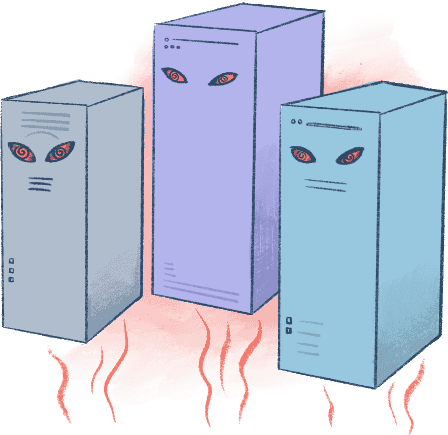
You put an agent onto a VPS, and at first it's fine. Then you add a second one, and they start fighting over package versions and filesystem paths. Add a third and it sinks in: there's no undo. Now you're babysitting a box that never sleeps.
One agent, one computer
A blast radius of exactly one
Every agent gets its own machine, walled off from the rest. When it installs something cursed or deletes the wrong directory, shrug it off and restore a checkpoint. Carry on like it never happened.

It remembers, until you tell it not to
Persistent when you want it, gone when you don't
A Sprite keeps its state on disk, so the agent living there remembers what it was doing and picks up where it left off. Want a clean slate? Throw it away and spin up a fresh one in seconds. Make it a permanent resident or disposable, it's your call.

This is what makes it safe to walk away
Checkpoint before YOLO. Restore when it bites.
You can't trust an agent to run wild in your codebase. So create a checkpoint in your Sprite before turning the agent loose. Then roll back in seconds when it breaks something that mattered.

Cheap when idle
Stop paying for a box that's doing nothing
An agent runs in bursts and sits idle the rest of the time. A Sprite sleeps when there's no work and wakes when you message it. Which means you only pay when your agent is working, not for an always-on server you forgot is running.

Persistence
-
You read and write to a fast, directly-attached NVMe filesystem that continuously syncs to durable, external object storage.

From reader to running agent, fast
Speedrun
CLI-
01
Give your agent its own computer
$ sprite create my-agent$ sprite use my-agent -
02
Launch Claude inside it and hand it a task
$ sprite exec -- claude -p "implement the feature and get the tests green" -
03
Checkpoint once it lands somewhere good
$ sprite checkpoint create --comment "feature done, tests green"
Try it
Give every agent its own computer
Agents are running loops around us now, and a rented server isn't where this goes. Give each agent a real, isolated computer that remembers its work, rolls back when it breaks, and costs you nothing when there's nothing to do.
Deploy your first SpriteYou can run an agent on your laptop around the clock. You just shouldn't. And a server you rent and babysit isn't much better. An agent wants its own computer: persistent enough to remember, recoverable enough to trust, disposable enough to not think twice.
Frequently asked questions
Why does an AI agent need its own computer on Fly.io? +
An agent that does real work without you needs somewhere persistent to run, separate from your laptop and from every other agent. A Fly.io Sprite gives each agent its own hardware-isolated Linux computer that stays up, keeps its state, and is reachable from anywhere, so the agent can work around the clock with nobody babysitting it.
What's the difference between running code in a sandbox and giving an agent its own computer? +
When people talk about "sandboxes," they usually mean something that runs one piece of code safely and then disappears when the run ends (taking the code with it). We do want guardrails in case an agent hands you a sketchy script to execute, but an agent can't live in something that keeps disappearing. Your agent needs a real computer: a stateful environment where it can pick up right where it left off, every time you come back. A Fly.io Sprite is both: it's a stateful home for your agent (but one you can crumple up and throw in the trash if it ever hands you something shady).
What is a Fly.io Sprite? +
A Sprite is a hardware-isolated, persistent Linux computer on Fly.io built for running agents and the code they generate. Each Sprite is a Firecracker microVM with its own kernel and filesystem. It spins up in seconds, keeps its state on disk, sleeps when idle, and wakes when you send it work.
How does Fly.io keep one agent from interfering with another? +
Every agent gets its own Sprite, walled off from the rest. Because each Fly.io Sprite is a separate microVM, an agent that installs the wrong package or deletes the wrong directory only affects its own machine. The blast radius is exactly one, and you restore a checkpoint to put it back.
Can I roll back an agent's mistakes on Fly.io? +
Yes. A Fly.io Sprite supports checkpoints, which are point-in-time snapshots of the whole environment. Checkpoint a Sprite before you turn an agent loose, then restore in seconds when it breaks something. The agent resumes from a known-good state instead of a mess you have to untangle by hand.
Does a Fly.io Sprite keep its state between sessions? +
Yes. A Sprite keeps its filesystem on disk, so the agent living there remembers what it was doing and picks up where it left off. When you want a clean slate, throw the Sprite away and spin up a fresh one on Fly.io in seconds. Each agent can be a permanent resident or disposable, whichever the work needs.
What happens to a Fly.io Sprite while the agent is idle? +
A Sprite sleeps when there is no work and wakes when you message it, so an agent that runs in bursts is not tying up an always-on server the rest of the time. On Fly.io the Sprite holds its state while it sleeps and resumes on the next request without losing where it was.
How do I reach an agent running on a Fly.io Sprite? +
Every Fly.io Sprite gets its own URL, so you can reach the agent from anywhere with auth in front of it. That is how a tool you built on your desktop becomes something you hit from your phone or another machine while it stays private to you.
How do I deploy a Sprite on Fly.io? +
You create a Sprite through the Fly.io command line, REST API, or SDKs, and it comes up as a full Linux computer in seconds. From there the agent runs inside it, checkpoints its progress, and serves over its own URL, so one agent gets one real, isolated computer to work on.