---
title: "Autocomplete with Livewire"
description: "Making a simple autocomplete field with Livewire."
---
# Autocomplete with Livewire

[Annie Ruygt](https://annieruygtillustration.com/)
We’re gonna do some autocompletion with Livewire. Livewire works best when your app is close to your user. With Fly.io, you can get your [Laravel app running](https://fly.io/docs/laravel/) globally in minutes!
The deal with React is that I don’t want it, but I’m jealous of the quality of React components.
Auto complete fields are an example. There’s a lot of hidden complexity and (even still) browser compatibility issues.
Here’s the rub: There are so many people using React that the quality of components is often very high. Porting that quality over to other frontends (such as Livewire) is hard!
Word on the street is that Livewire is actually working on an auto-complete field of its own. But I want something *now* . Luckily, there just so happens to be [pretty good browser support for this idea](https://caniuse.com/datalist).
It’s workable-but-kinda-ugly enough for me to love it.
## Native Autocomplete
It turns out that modern browsers support the idea of auto-complete via [datalist](https://caniuse.com/datalist).
When combined with a text input, we get a list of stuff that a person can select. This comes comes with some bells and whistles such as keyboard shortcuts to navigate the list. Here’s an interactive look at [how to do that](https://play.tailwindcss.com/3CmyVgLdlo). This will perform some basic auto-complete based on the options in the `datalist`. If you select an option from the list of possible values, it will update the text input’s `value`. Nice.
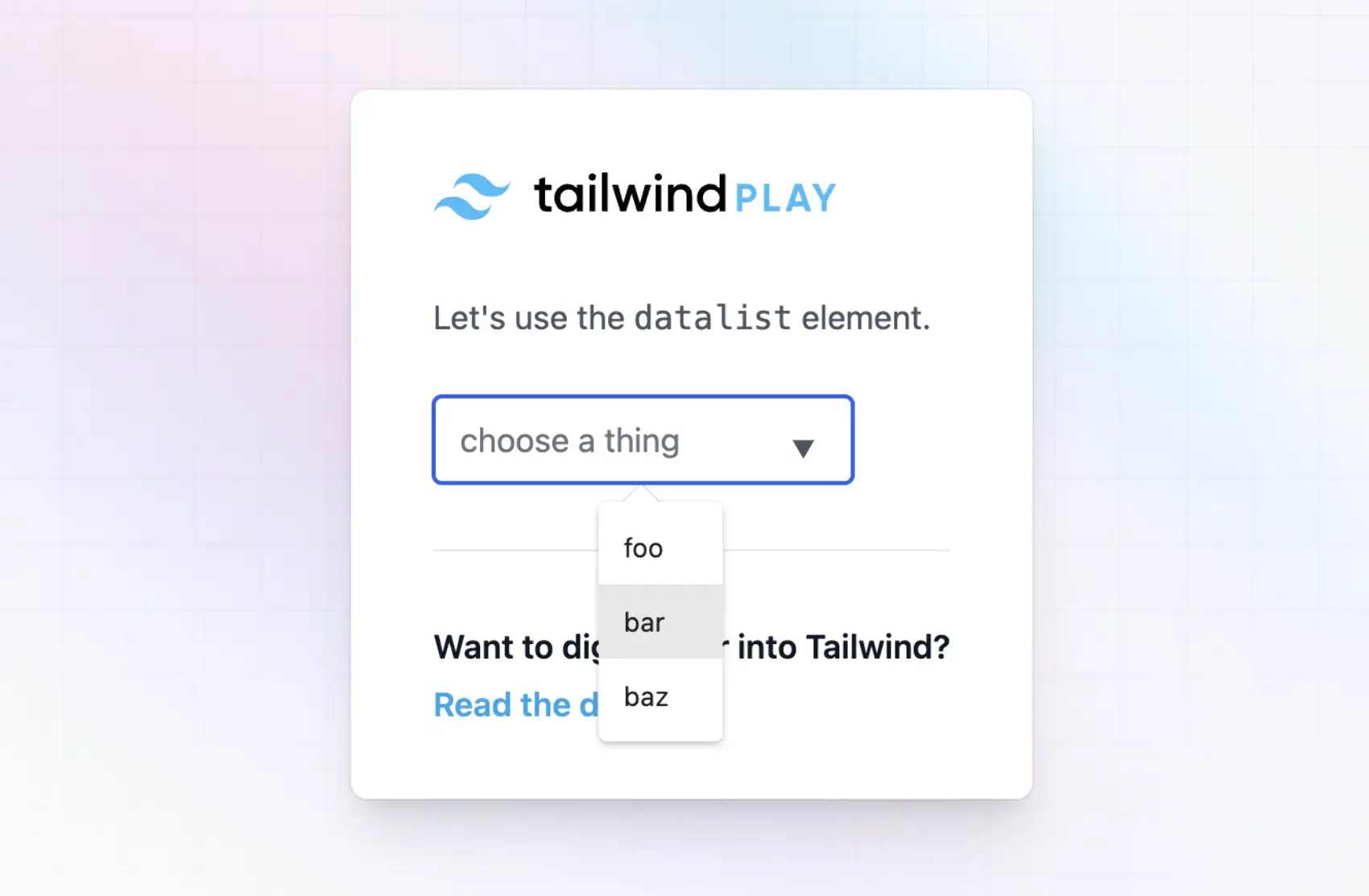
Here’s where it gets a bit wonky, however. The only value we can get from the selected data is the *display* value.
Often you want some machine-readable value but with a human-readable label. Maybe we can add some JS and a `data` attribute?
```
```
That looks good, we should be able to get the value from the datalist for a given selected label. But…we can’t.
## Getting Values
We want to figure out a way to get the machine-readable value held in the `data-value` attributes when a user selects a label.
Unfortunately we can’t actually listen for `change` events directly on the `datalist` element. Instead, we need to use a `change` event on the `` itself.
This gives us an avenue to get the values we want, it’s just a teansy bit hacky. But this is Javascript — When in Rome!
Here’s what we’ll do. We listen for `change` events on the text input. When its value is changed, we find a matching value in the `datalist` and grab it’s `data-value` attribute. This means we’re matching text input value with the datalist value, using the human-readable label. I don’t really love this, but it works for most use cases.
```
// When we change the value of the text input
let onChange = (e) => {
// Get the text input value
// It will be the human-readable label from the
// datalist's value="foo" attribute
let value = e.target.value
// Get the data-value attribute by selecting the datalist element
// with a matching value ('foo', 'bar', 'baz' in our case)
// This might create an invalid css selector,
// but you could also find the datalist element
// and do a foreach on its child options
let selected = document.body.querySelector("datalist [value=\""+value+"\"]")
// If we find the selected option, grab the
// machine-readable ID from the data-value attribute
if (selected) {
let id = selected.dataset.value
console.log('selected value is:', id)
}
}
```
Then we add that function as the listener for that input:
```
```
Here’s a [JS Fiddle](https://jsfiddle.net/g59f1cev/) you can use to play with that.
Now we can get the `data-value` attribute to get a numerical ID (1, 2, 3) that relates to the human-readable label (foo, bar, baz) used when selecting a possible value from that dropdown list.
## Fly.io ❤️ Laravel
Speed up Livewire and Fly your servers close to your users. Deploy globally on Fly in minutes!
[Deploy your Laravel app! →](https://fly.io/docs/laravel)
## Livewire
We can translate this to Livewire (and a hint of AlpineJS) pretty easily! The one thing I’ve added is populating the `dataset` options list dynamically based on user input. This was useful for a project where I auto-completed user addresses.
Assuming you have Livewire installed, we can create a new component and use that to help autocomplete based on user input.
```
php artisan make:livewire AddressAutocomplete
```
This generates files:
1. `app/Http/Livewire/AddressAutocomplete.php`
2. `resources/views/livewire/address-autocomplete.blade.php`
The template file can contain (among other things for fancier presentation), the following:
```
```
We use AlpineJS’s `x-data` on the `