---
title: "Re-usable, Dependent Dropdowns in Livewire v3"
---
# Re-usable, Dependent Dropdowns in Livewire v3

[Annie Ruygt](https://annieruygtillustration.com/)
In just a few steps, deploy your [Laravel application](https://docs.fly.io/laravel) on Fly.io, you’ll be up and running in minutes!
How do we create dependency among dropdowns that use the same, re-usable component? One way we can solve this is by utilizing Livewire’s powerful [component nesting](https://livewire.laravel.com/docs/nesting) capabilities.
Let’s check it out, here’s a [repository for reference](https://github.com/KTanAug21/SampleApp).
## Problem
We have a re-usable `filter` component that contains a select dropdown:
```
```
We want to use this to create 3 different dropdown filters ( Offer Type, Property Type, and Amenities ) for our page.
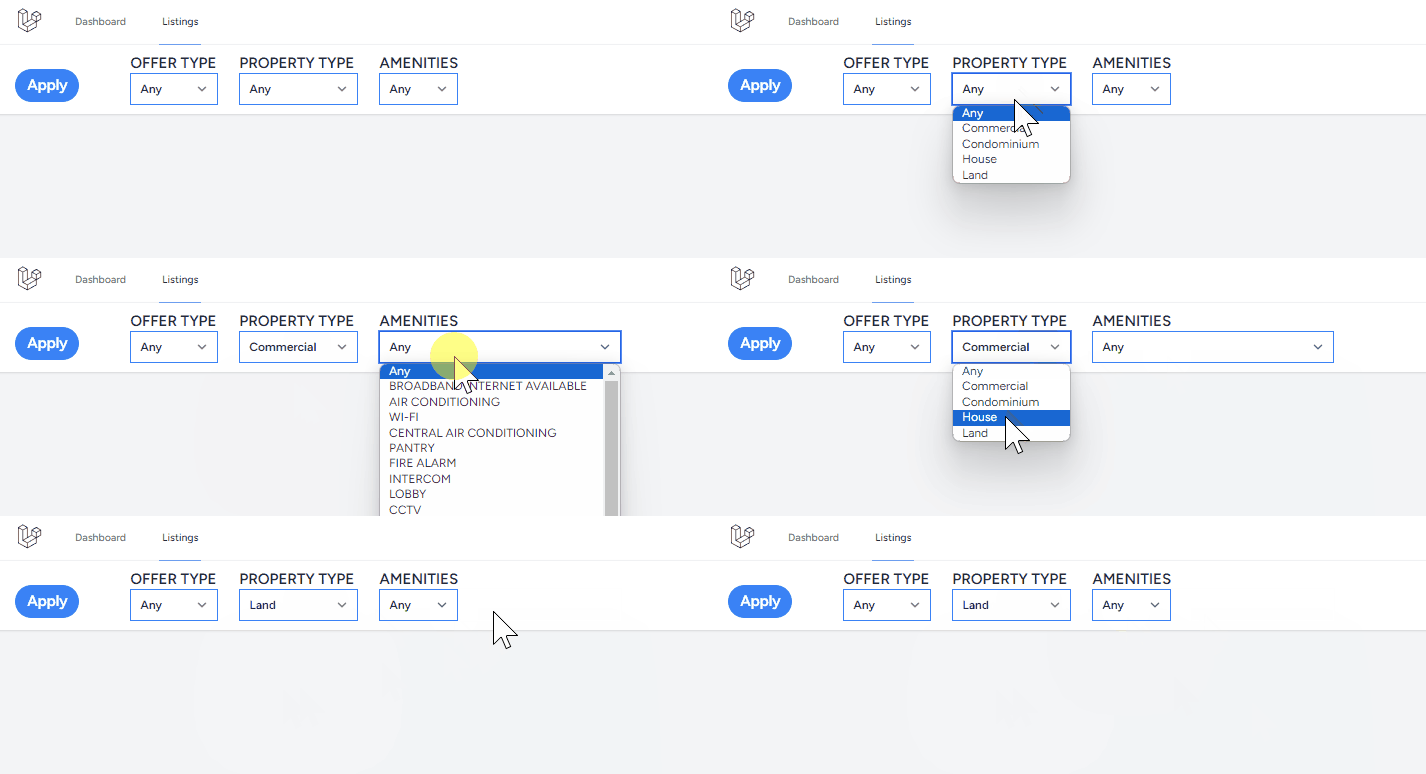
One key point is that changes on the Property Type dropdown should filter the options in the Amenities dropdown.
How do we create such dependency that come from the same component?
## Solution: A Parent Data Manager
At the end of the day, what we really have here is data dependency: Data from one `filter` component reacting to data from *another* `filter` component.
And in the beginning, where did we even get data to instantiate these two components? —Somewhere *outside* of it.
So, if we get data from outside of the component, why not handle data stuff like dependency outside of the component as well?
We can create a `filter-section` component that will manage the dropdowns. It will be responsible for managing data, rendering, and coordinating events across its `filter` child components.
And, thanks to Livewire v3’s component nesting capabilities, all these data and event coordination, as well as re-rendering of UI changes, is going to be *smooth* .
## Set Up
First, create a [`filter` component](https://github.com/KTanAug21/SampleApp/blob/master/resources/views/livewire/filter.blade.php), it’s the “template” to our dropdowns. Afterwards, [create](https://livewire.laravel.com/docs/quickstart#create-a-livewire-component) another component called `filter-section`, this will act as the parent manager.
### Getting Data
The `filter-section` will have a [public attribute](https://github.com/KTanAug21/SampleApp/blob/master/app/Livewire/FilterSection.php#L14), `$filters`, that will contain data on the three dropdowns we want to render in our page:
```
/* app/Livewire/FilterSection.php */
public $filters = [];
public function mount()
{
$anyArray = ['id'=>0,'name'=>'Any'];
$this->filters = [
'offer_type'=>[
'value' => 0,
'label'=> 'OFFER TYPE',
'options'=> [ $anyArray ]+OfferType::all()->toArray()
],
'property_type'=>[
'value' => 0,
'label'=>'PROPERTY TYPE',
'options'=>[ $anyArray ]+PropertyType::all()->toArray()
],
'amenity'=>[
'value' => 0,
'label'=>'AMENITIES',
'options'=>[ $anyArray ]+Amenity::all()->toArray()
]
];
}
```
### Initializing Child Components
In its [view](https://github.com/KTanAug21/SampleApp/blob/master/resources/views/livewire/filter-section.blade.php), we’ll instantiate a bunch of child `filter` components using the items in `$filters`. For each item, we initialize a `filter` component with the item’s `$label`, `$options`, and `$value`:
```
@foreach( $filters as $key=> $filter )
@endforeach
```
Saving the code snippet above should give us an instance of `filter` component for each item in the `$filters` array: 
Next, let’s focus on the `:key` attribute declared above.
### The Importance in `:key`
Including a `:key` identifier in each `filter` child component is [a vital, mandatory requirement](https://livewire.laravel.com/docs/nesting#rendering-children-in-a-loop). Livewire uses this `:key` attribute to keep track of children components during re-rendering of changes in the page.
And, *speaking* of “re-rendering”, [Livewire by default](https://livewire.laravel.com/docs/nesting#forcing-a-child-component-to-re-render) only renders a child component when the child component has not yet been rendered before.
In fact, a parent component maintains this list called “children”. It contains the :key of all child components previously rendered. Whenever the parent needs to re-render, it skips any child whose key has already been recorded in the list.
Since our “Amenities” dropdown has already been rendered in initial page load, Livewire’s *not* going to re-render it afterwards. But see, we *need* re-rendering for changes to reflect, so what do we do?
This, is where `$key.now()` comes in. This should generate a unique key for our dropdown every time, allowing it to have a different key from before, forcing the re-rendering of the component—and reflecting *new* changes to our dropdowns ✨
## Dependent Filters
Now, let’s go over to the “dependency” part.
When a user selects a “Property Type” option, we want to filter the “Amenities” options to only include options for that specific property type.
There’re two parts to this: Listening for “Property Type” changes, and Requesting the parent component to filter its “Amenities” dropdown. Add this logic to the `filter` [view](https://github.com/KTanAug21/SampleApp/blob/master/resources/views/livewire/filter.blade.php#L6):
```